1. Home
  2. Functions

Ravqenori's Classification and Review Functions

An explanation of the core capabilities the platform provides โ€” how information is classified, how users navigate it, and how enquiries are handled within the system.

Core Capabilities

Four Functions at the Centre of the Platform

Each of the following areas represents a distinct way in which users interact with structured information through Ravqenori. They work together to provide a coherent, organised experience from initial navigation through to enquiry submission.

01

Information Classification

Content within the platform is assigned to specific categories according to a defined classification scheme. Each item carries a category label, a review status, and any relevant sub-classification markers. This structure makes it possible to locate related items without browsing unstructured content.
02

Layered Review Interface

The review interface presents information at an appropriate level of detail for each stage of interaction. Users see a summary view by default and can navigate to a more detailed view where the platform has additional content available. This layered approach reduces information overload without hiding relevant detail.

03

Category Navigation

Navigation within Ravqenori follows the platform's category hierarchy. Users move from broad categories to more specific sub-categories, with each level displaying the relevant items and their current review status. The navigation is consistent across the platform and reflects the underlying information structure.

04

Enquiry Processing

Where access to specific information or further assistance is needed, users submit a structured enquiry through the platform's enquiry form. Each submission is reviewed by the support team, who may ask for clarification before responding. The enquiry function is the primary channel for requesting access to restricted categories.

How It Works in Practice

A Typical Review Session on Ravqenori

Users engaging with Ravqenori for the first time typically follow a sequence that moves from general orientation to specific review. The steps below describe this pathway as it applies in most cases. Individual sessions may vary depending on the category of information being reviewed and whether a prior enquiry has been submitted.

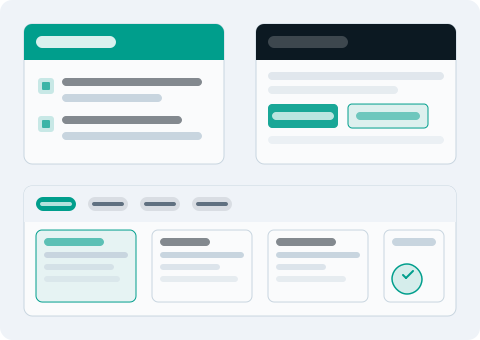
Abstract representation of the Ravqenori review functions showing layered interface panels and structured data organisation elements

Review the Platform Overview

Before engaging with specific information categories, users are encouraged to read the platform overview. This page explains the scope of information available, the classification approach used, and what to expect from the review interface.

Identify the Relevant Category

Using the platform's navigation, users identify which category or sub-category holds the information they need. Each category is labelled according to the classification scheme, and a brief description is available at the category level to assist with orientation.

Review Available Information

Within the selected category, users can review items at the summary level before navigating to additional detail where available. The review interface shows the classification label, review status, and any associated items for each record displayed.

Submit an Enquiry if Needed

If the review reveals a need for further information, access to a restricted category, or assistance from the support team, users can submit a structured enquiry. The form guides users through the relevant fields to ensure the team has enough context to respond effectively.

Interface Detail

Specific Aspects of the Review Environment

The following features describe how the interface handles particular aspects of information presentation and user interaction within Ravqenori.

Review Status Indicators

Each information item carries a visible status indicator showing whether it is active, pending review, or held for further assessment. These indicators update as the status of an item changes within the system, giving users a current view of each record's state.

Category-Level Summaries

At each level of the category hierarchy, the interface displays a summary of the items held within that category, including a count of items by status. This allows users to quickly assess whether a category is likely to contain the information they are seeking before navigating further.

Consistent Classification Labels

Classification labels are applied consistently across the platform. The same label always refers to the same category type, regardless of where it appears. This consistency reduces the effort required to interpret information across different parts of the system.

Enquiry Reference Tracking

When an enquiry is submitted, the support team assigns a reference to the submission. This reference can be included in any subsequent correspondence to ensure continuity of communication and to link follow-up questions to the original enquiry context.

Ready to Engage with the Platform?

Review the platform overview for context, then submit an enquiry to begin the access process.